

The WeatherStar 4000, Then and Now
The rise and fall of cable TV’s most beloved weather machine, and how you can watch it again tonight.

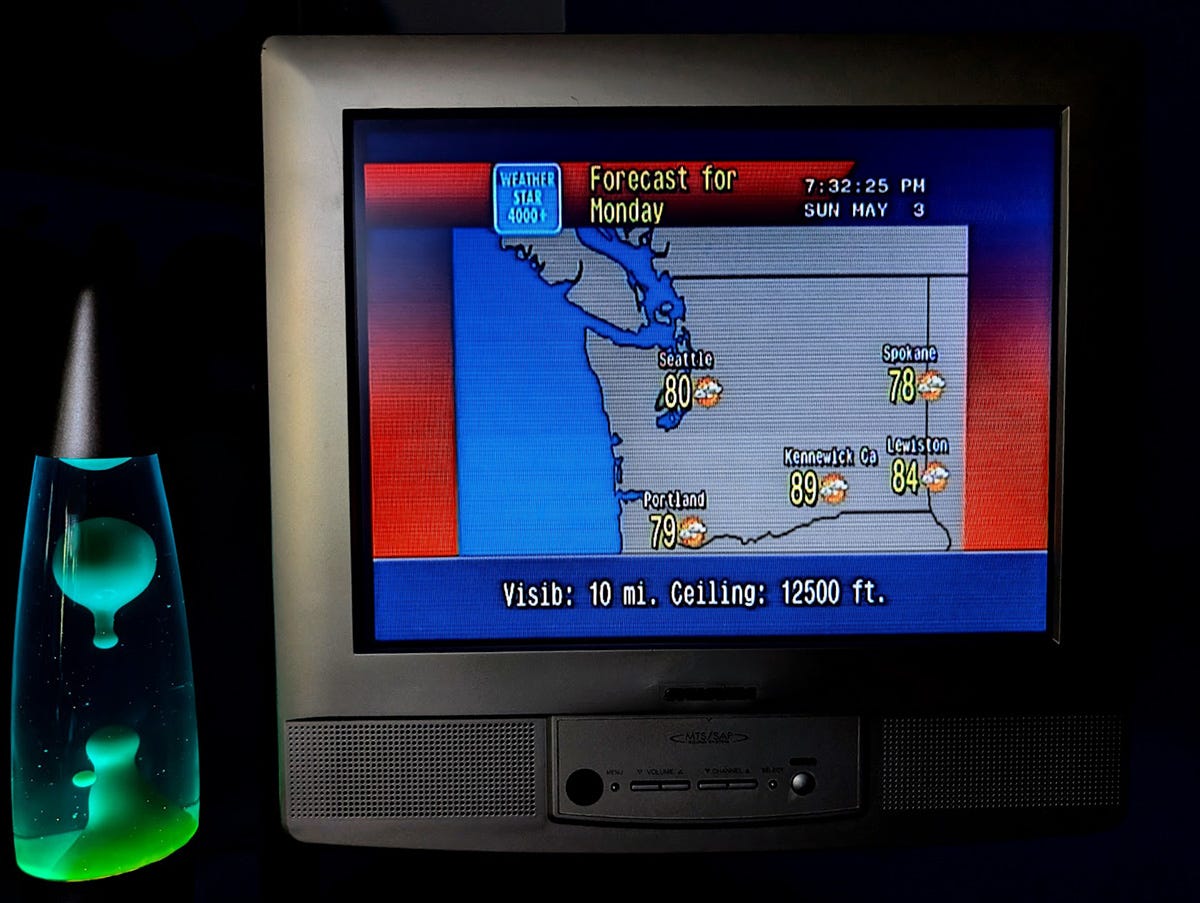
There used to be a comfort that came from watching the weather on television. Not the theatrical storm chasing coverage or the panicked breaking news scroll. I mean the old kind. The local forecast. Blue and orange graphics rolling through temperature highs, humidity readings, and multi-day outlooks, all set to early 90s light jazz. If you grew up watching cable in the eighties or nineties, you know exactly what I mean.
I spent a lot of time with that channel as a kid. Something about it was really calming. I could tune in before school, or late at night, and it would just be there, cycling through the current conditions, extended forecast, and local radar. There was no anchors, no opinions, just data rendered in that chunky digital typeface with the sun icon and the little cloud graphic. It made the world feel a little more organized.
It took me a few years to realize I missed it. By the time I noticed it was gone, it had been gone a while. But those screens stuck with me, and judging by how many people have tried to recreate them, I am not the only one.
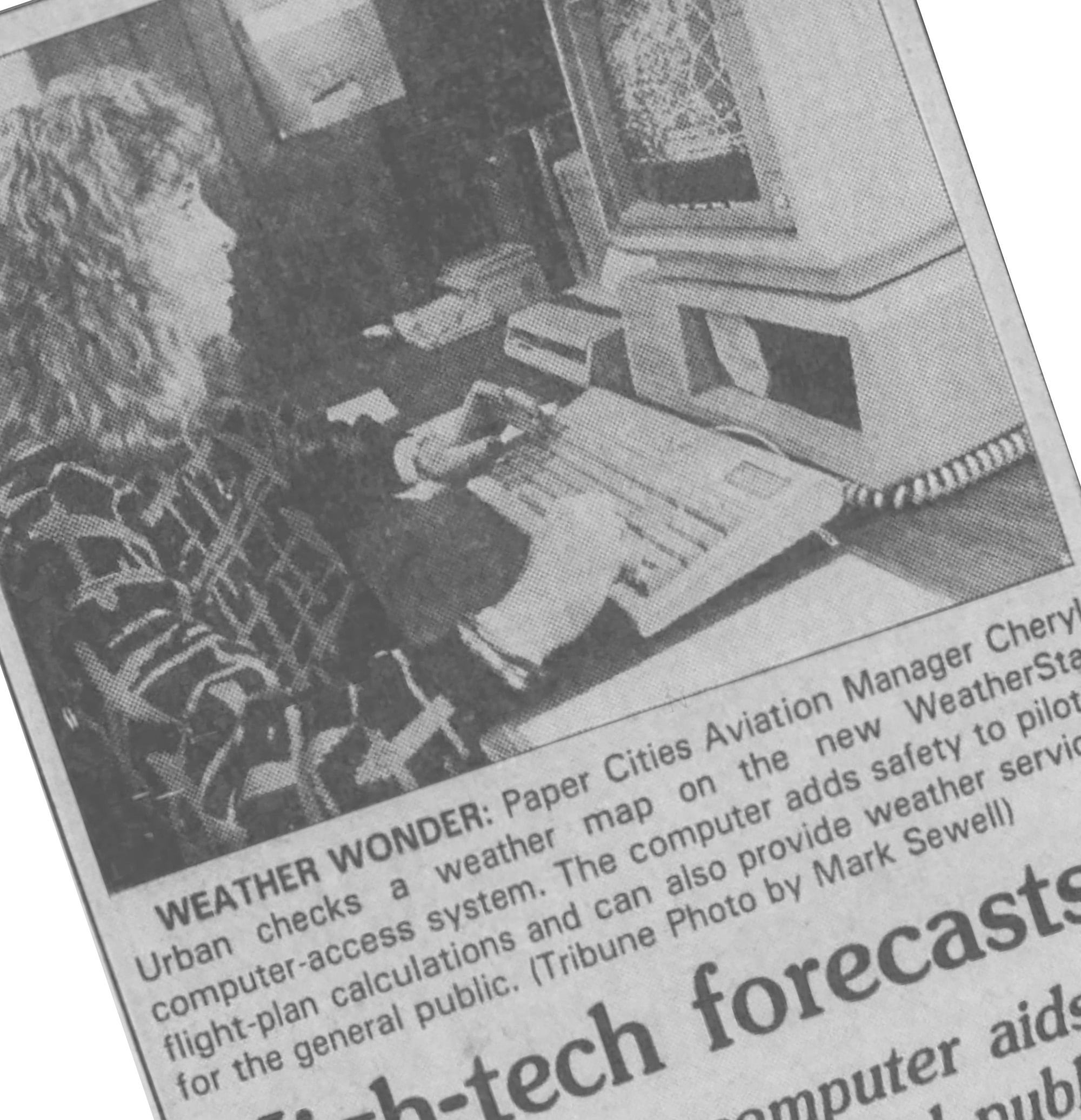
The Weather Channel launched in May 1982, founded by meteorologist John Coleman and media executive Frank Batten. It was a cable novelty at the time, an entire channel devoted to nothing but weather. One thing that made it interesting at the local level was a piece of hardware called the WeatherStar.
The name is an acronym. STAR stands for Satellite Transponder Addressable Receiver, which sounds more complicated than it is. The idea is that a computer unit was installed at each cable system’s local facility, called a headend. That unit received weather data via satellite from The Weather Channel, then generated graphics and inserted them into the national broadcast at the local level. So when your cable system cut away from the national feed to show you the forecast for your town, that was the WeatherStar doing its job.
The first generation, the Weather Star I, could only produce white text on colored backgrounds. Purple for current conditions, gray for the 36-hour forecast, red for warnings. No graphics, no icons. Just words. The Weather Star II followed in 1984 with better hardware, and the Weather Star III came in 1986 with more products but still no images.
Then in 1990, everything changed.
Above you see the first day that WeatherStar 4000 was used. Its still pretty basic, but if you were accustomed to the older version, you could see things were changing.
A year later and things are really starting to come together.
The WeatherStar 4000 was the first model capable of producing graphics. Developed in 1988 and introduced in early 1990, it was designed and built by a Canadian electronics company called Applied Microelectronics Institute. The 4000 gave the local forecast those recognizable blue and orange backgrounds, the weather icons, the radar map at the end. It also brought the music, that specific blend of smooth jazz and new age that became as much a part of the watching experience. A narration track voiced by a man named Dan Chandler rounded things out, introducing each segment in a tone that managed to sound both official and completely relaxed.
For most of the nineties, if you flipped on The Weather Channel during the local forecast, that was what you were watching. The 4000 was everywhere.
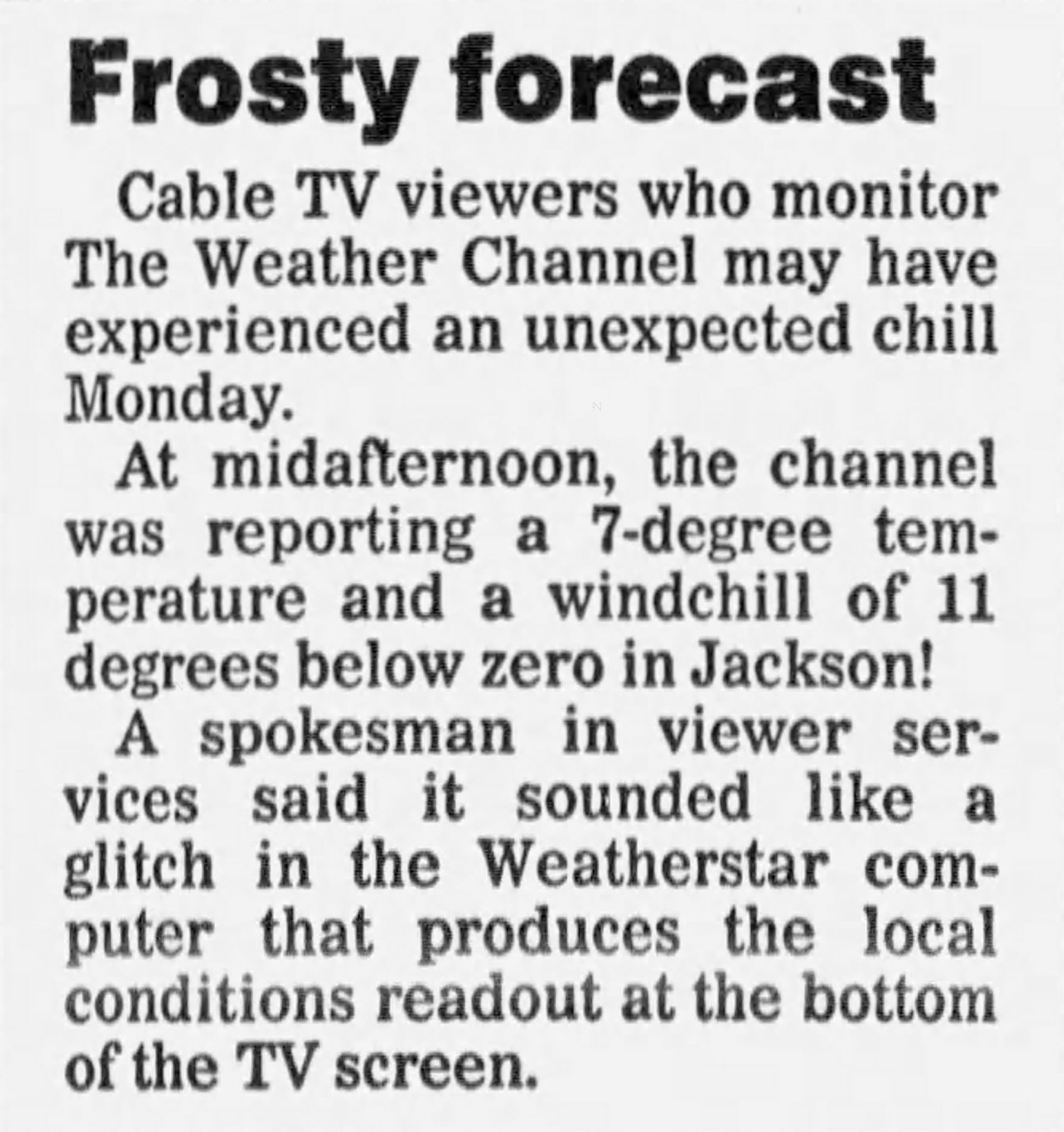
The WeatherStar 4000 also had its quirks. A small item in the Jackson Sun from July 1991 noted that Weather Channel viewers in Jackson, Tennessee had gotten quite a surprise on a Monday afternoon: the channel was reporting a 7-degree temperature and a wind chill of 11 below zero, in July. A company spokesman attributed it to a glitch in the WeatherStar computer (I am guessing some sort of user error). I bet readers were relieved.
The Weather Channel did not stand still. A budget model called the Weather Star Jr. arrived in 1994 for smaller cable markets, priced at $500 a unit. Then in 1998 came the Weather Star XL, an SGI-based machine that overhauled the graphics entirely. Modern fonts, new icons, and a cleaner look. It was sharper. It was also, for a lot of people, less interesting.
The IntelliStar followed in 2003, adding more data, more products, more localization. Traffic information, air quality indexes, school-day forecasts. The presentations got longer, then got cut back when The Weather Channel standardized all local segments to a single minute in 2013.
The WeatherStar 4000, along with the XL and the Jr., was retired on June 26, 2014, when The Weather Channel ended its analog satellite feed. Forty-two years after the channel launched, the hardware that had defined its local identity was switched off.
Around the same time, the channel itself was changing in ways that had nothing to do with hardware. Landmark Communications, which had founded The Weather Channel and owned it for 26 years, sold it in 2008 to a consortium of NBCUniversal, Bain Capital, and the Blackstone Group for a reported $3.5 billion. In 2015, IBM purchased the channel’s digital assets, including the website and app, for over $2 billion. The television network itself was then sold again in 2018 to Byron Allen’s Entertainment Studios for a reported $300 million. That last figure says a lot about how the value had shifted.
The channel that once sold for $3.5 billion as a unified company sold its TV side alone, a decade later, for a fraction of that. Why? Because weather had migrated to phones and websites. The idea of sitting down to watch a dedicated weather channel began to feel like something from another era. For a lot of people, that was exactly the problem.
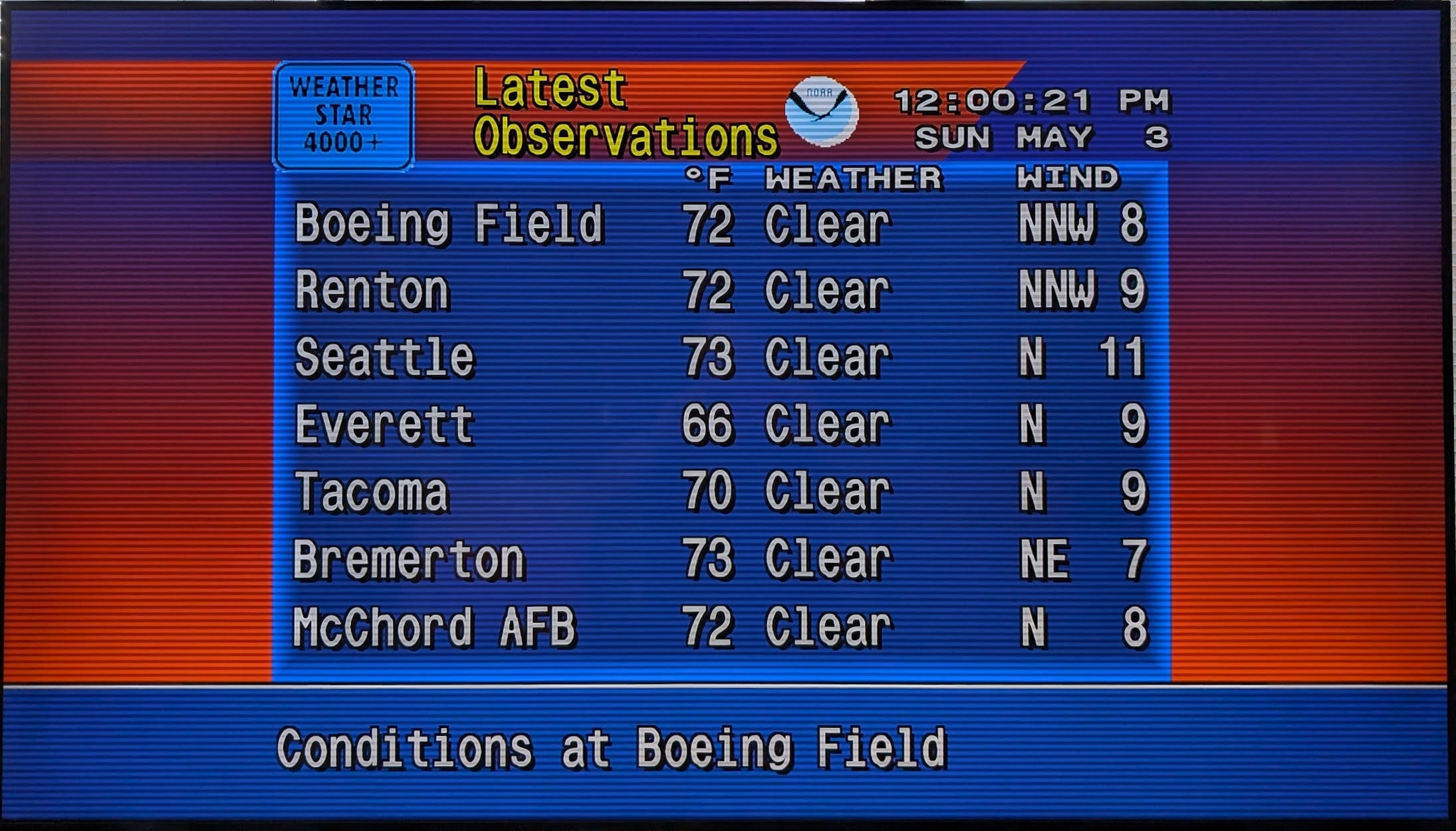
Appreciation for the WeatherStar 4000 never really went away. It went dormant and that led to nostalgia. YouTube channels dedicated to preserving old WeatherStar recordings accumulated quiet followings. The TWCClassics community catalogued decades of Weather Channel playlists and footage with the kind of passionate thoroughness you see applied to things that really matter to people. As it turns out this was just the beginning, because then the programmers showed up.
A developer named Mike Battaglia built the first substantial web-based recreation of the WeatherStar 4000 experience, reconstructing the graphics, the layout, and the general feel in a browser. In August 2020, another developer named Matt Walsh forked that project and began building his own version, which he called WeatherStar 4000+. Walsh’s project pulls live weather data from NOAA’s public API, so what you’re watching is not a recording or a simulation of old data. It is your actual local forecast, rendered to look exactly like it would have in 1993.
Walsh has been clear about what this is and what it is not. It is not a pixel-perfect recreation of the original hardware. Some screens have been added that did not exist on the real 4000, including an hourly graph display and a Storm Prediction Center outlook screen that Walsh designed to match the aesthetic of the original air quality display. Some original features are absent because the data simply is not available through modern APIs. The original music, which is all copyrighted, has been replaced with AI-generated tracks built to sound similar. For anyone who needs the originals, TWCClassics maintains a searchable archive of the actual playlist.
The project hit the front page of Hacker News in May 2025 and the response was, by Walsh’s own description, overwhelming. People sharing memories of watching the forecast before school, of parents and grandparents who kept The Weather Channel on in the background. The comment section filled up with people who had not thought about those blue and orange graphics in years.
A former Weather Channel systems engineer showed up in the comments of a related How-To Geek article published in February 2026 and wrote that he used to be the person who managed the systems that ingested all that data and pushed it out to local cable companies. “It was fun while it lasted,” he wrote. “Then they got bought.”
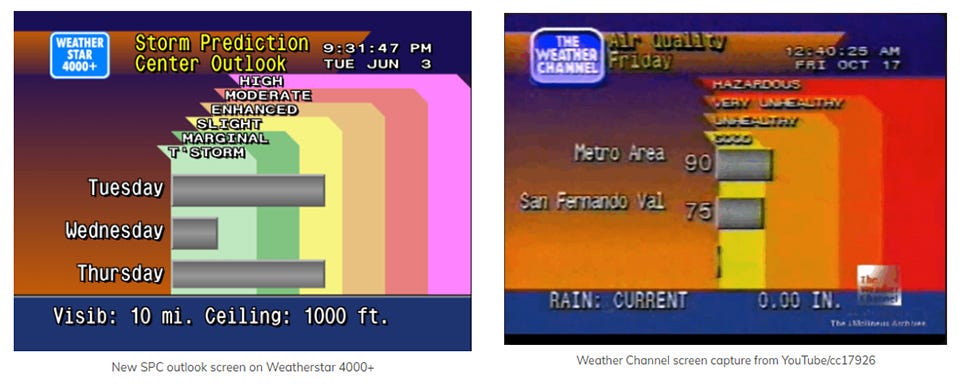
WeatherStar 4000+ is built around NOAA’s weather API, which covers the United States only. If you are outside the US, the international fork is the right starting point.
The project carries a disclaimer that Walsh is clear about: this should not be used as a primary source during dangerous weather. The internet is not a reliable infrastructure for emergency alerts, and the WeatherStar format is not designed for that. For actual severe weather information, the National Weather Service and a dedicated weather radio are the right tools.
The music that plays by default is AI-generated in the spirit of the original smooth jazz. It is fine. If you want the actual original music, which is all commercially licensed, the TWCClassics archive at twcclassics.com is where to look. You can also add your own MP3 files to the server version of the app if you have a collection in mind.
On mobile, both Android and iOS users can add WeatherStar 4000+ to their home screen as a web app through their browser’s share or install options. An Android app is in development. There is no iOS native app, and based on Walsh’s notes, there is unlikely to be one through his project given that he does not own any Apple devices.
While WeatherStar 4000+ is the most accessible version of this retro weather TV experience, it is not the only one.
The WS4000 Simulator, available at taiganet.com, is a separate project aimed at a much more faithful hardware recreation. Where WeatherStar 4000+ is a browser-based app built for ease of use, the WS4000 Simulator is a downloadable Windows application built with C++ and a custom rendering engine designed to replicate the exact visual behavior of the original unit. It supports the original “flavors” system (the term for the pre-programmed sequences of forecast screens), lets you build your own custom lineups, includes superprecise music scheduling, and uses National Weather Service forecast grids for its data. If WeatherStar 4000+ is for people who want to watch the weather in a nostalgic way, the WS4000 Simulator is for people who want to know how the machine worked and take control.
There is also an IntelliStar 2 emulator if you prefer the look of the later-era hardware, and a weatherstar.dev project that covers both the WeatherStar and IntelliStar formats. For viewers outside the United States, a fork of WeatherStar 4000+ called ws4kp-international adapts the project to work with non-NOAA data sources, since the original is exclusively tied to US weather data.
Because of all the discussion around these projects, The Weather Channel itself released an official WeatherStar 4000 emulator on April Fools Day 2026. Whether that timing was a joke or a tribute is genuinely unclear.
How Should You do WeatherStar 4000?
The simplest way to experience WeatherStar 4000+ right now is to open a browser and go to weatherstar.netbymatt.com. Type in your zip code or city, and within a few seconds you are watching your local forecast in the old style. That is all you need to. No account, no installation, no configuration required. If you want to save your settings or share a specific setup, you can generate a permalink from the page that captures everything.
If you want to run your own instance, the project is free and open source on GitHub at github.com/netbymatt/ws4kp. The quickest path there is a single Docker command that gets the whole thing running on any machine that has Docker installed. From there you access it through a browser at your local network address. For people who want to go further, there are options to run a full server version with caching for better performance across multiple devices, or to add your own music files in place of the default tracks.
Getting it onto a television takes one more step. The most direct method is to use a smart TV or streaming device with a browser, navigate to your WeatherStar address, and go fullscreen. There is also a project called ws4channels, available on GitHub, that converts the WeatherStar stream into a live TV channel that media servers like Plex or Jellyfin can pick up and add to their channel guide. Setup involves a bit more configuration, and based on reports from people who have tried it, the resource demands can be significant depending on your hardware.
For people who want WeatherStar on a TV without any of that setup, here was my very affordable solution.
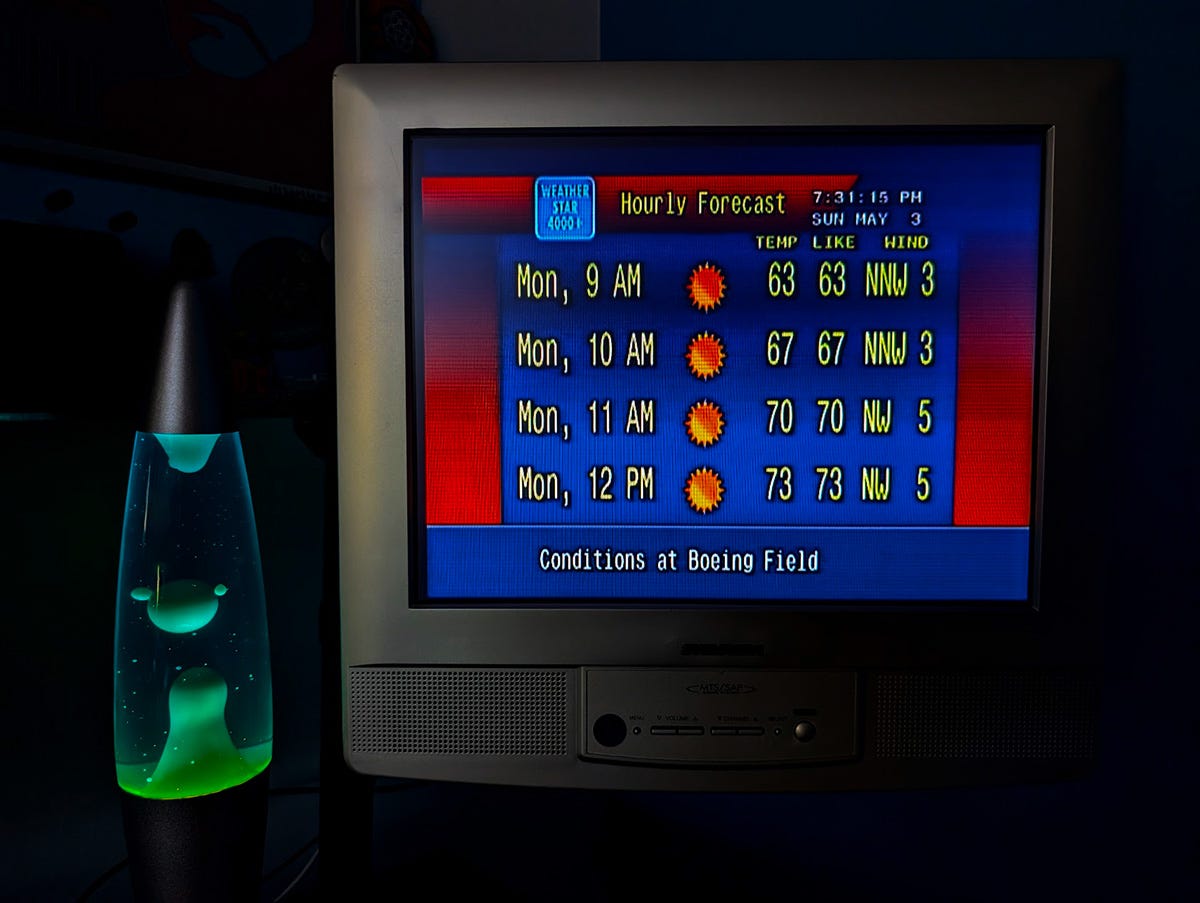
I found a used Amazon Fire Stick at a thrift store for five dollars. These sort of finds aren’t uncommon, although prices may vary. Any media streamer with a browser will work though. I plugged it into an older LCD television that I keep on my desk, opened the browser that comes built into the Fire TV, navigated to weatherstar.netbymatt.com, typed in my zip code, picked my scanlines, turned on the music, and went fullscreen. That was the entire process. I now have a small screen on my desk that is permanently tuned to my local forecast in the old style, with the music running quietly in the background.
It is not always on. But I put it on when I am at my desk and want something calm in the background. There is something about that steady rotation of screens, the current conditions giving way to the hourly forecast, the radar coming up, the extended forecast, all of it moving at the same unhurried pace it moved when I was younger, that I find genuinely calming. Yes, I am aware that my phone can also tell me the weather, instantly and accurately and without any of this setup. But that isn’t the point.
I kept thinking about that comment from the former Weather Channel engineer. He was describing a system that hundreds of thousands of people interacted with every day for decades, mostly without knowing what was behind the scenes. Most viewers did not think about the WeatherStar. They just watched the forecast. The hardware was invisible the way all good infrastructure is invisible. You only notice it when it relays an error, or when it goes away.
The people rebuilding it now notice it plenty. Walsh has kept the WeatherStar 4000+ project actively updated and open source, with multiple contributors on GitHub and growing. The WS4000 Simulator community at taiganet.com continues its own detailed work. TWCClassics catalogs the music and archival footage. Together they are keeping something alive that the original network walked away from.
This isn’t just for nostalgia, although it is partly that. I think it is also that the WeatherStar format was genuinely well-designed. It gave you the information you needed, in a clear and unhurried way, with pleasant music playing. That combination is still great. It worked well enough that when Walsh posted about his project on Hacker News, people who had not thought about it in thirty years came flooding back to say so (I was one of them).
When I put it on, even bad weather feels a little comforting. The forecast keeps cycling through. The sun icon still looks the way I remember. The music is still playing. Whenever its on, it feels like the highwater mark of cable TV never really went away and I love it.
I've been running it on my tablet when it is docked on my desk during work. I've had it on almost all day every work day for about a month now, I mute it during meetings. It has almost become pavlovian for me, because when I don't have it on it feels like something is "off" and I'm slightly agitated. Work has been stressful recently and I find just having this on quietly in the background to be very comforting, plus I get accurate weather info any time I want!
I used to love The Landscape Channel.